
Facebook Ads for small businesses have become critical as organic reach on social media has plummeted. With nearly 3 billion monthly active users and powerful targeting capabilities, Facebook Ads offer an affordable way to reach your ideal customers and drive real revenue.
Quick Answer: Should Your Small Business Use Facebook Ads?
The reality is stark: organic social media alone will not consistently get your content seen. As many marketing leaders note, posting on Facebook without a paid budget rarely delivers meaningful business results anymore. The algorithm prioritizes content users enjoy most, which means business posts get buried unless you pay to boost them.
However, Facebook Ads can be a highly effective paid marketing strategy when done right. The platform's targeting capabilities let you reach exactly who you need to, whether that is coffee lovers within 10 miles of your shop or busy parents interested in time-saving products.
The challenge is not whether to use Facebook Adsit is how to use them effectively without wasting your budget. Many small business owners dive in without clear goals, proper targeting, or an understanding of what success looks like. They end up frustrated, convinced Facebook Ads "don't work" when the real issue is strategy.
I am Rebecca Falzano, Creative Director at Vernacular Agency, and over nearly 15 years guiding content and marketing strategies, I have seen how powerful Facebook Ads for small businesses can be when executed with clear intent and smart targeting. In this guide, we will walk through exactly how to make them work for you.
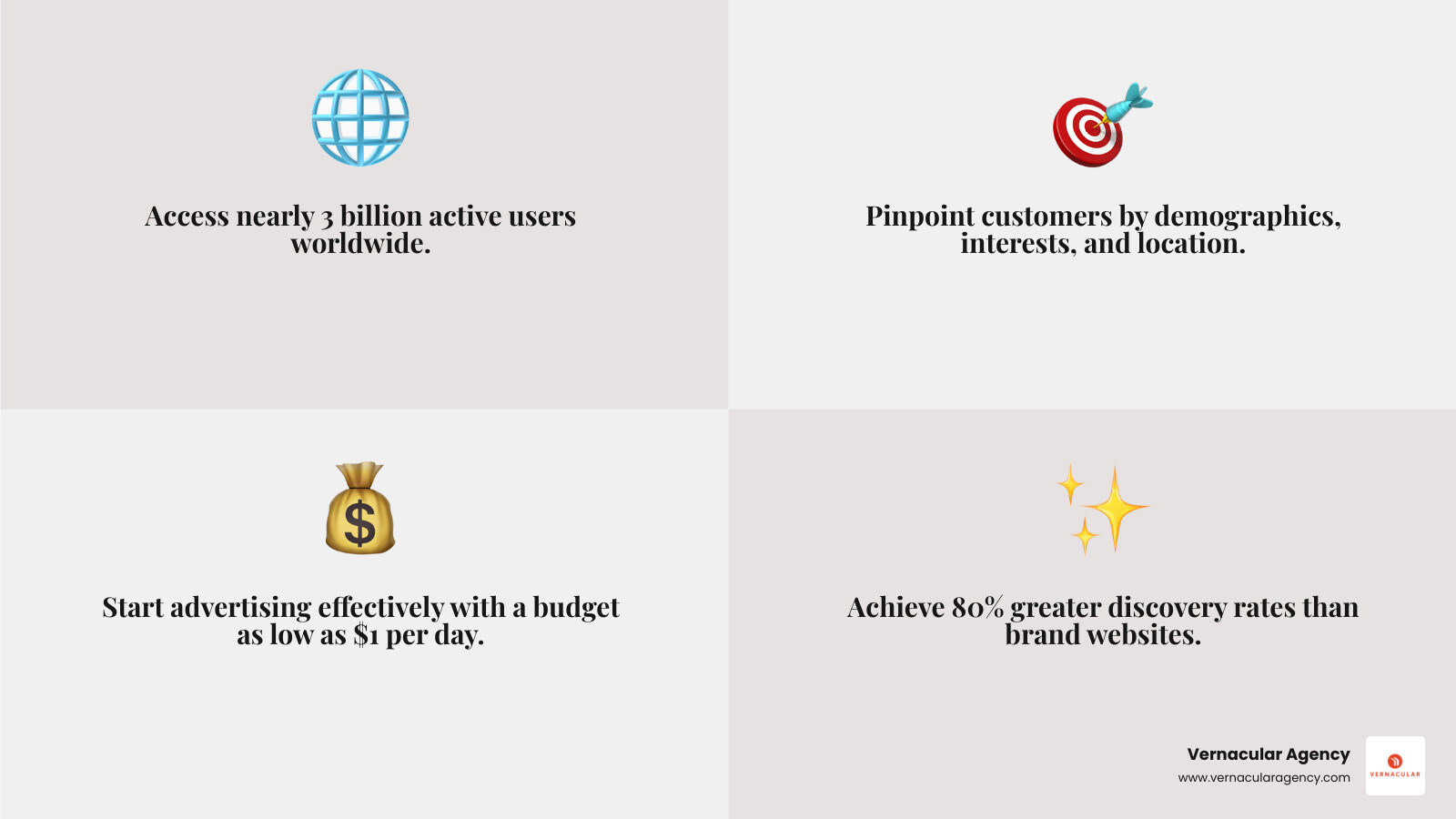
For small businesses, the digital landscape can be overwhelming. Facebook Ads for small businesses are no longer just an option; they are a necessity for sustainable growth. With organic reach on Facebook dwindling, paid advertising is the most effective way to ensure your message is seen by the right people.
Facebook boasts nearly three billion monthly active users, offering a massive potential audience for your products or services. Whether you are a local boutique in Portland, Maine, or an e-commerce brand serving customers across the USA, your audience is on Facebook. Meta's internal data indicates that people are far more likely to find a business through a Facebook ad than by visiting a brand's website directly. This increased visibility translates into brand awareness, lead generation, and sales.
The key is to focus on Return on Ad Spend (ROAS)the revenue generated for every dollar spentmaking Facebook Ads a cornerstone of any effective Digital Marketing strategy.
Facebook's targeting capabilities are a game-changer for small businesses that need every dollar to work hard. You can show your ads to people based on:
Beyond this, you can leverage your own data. Upload a customer email list to create a Custom Audience for retargeting or finding new customers who have engaged with your content. From there, you can build a Lookalike Audience, which finds new users who share characteristics with your best customers. This precision helps ensure your marketing budget is spent efficiently, reaching the most relevant audience. To dive deeper into these powerful tools, you can Learn more about Meta's targeting tools.
The days of posting on your Facebook Page and expecting a large percentage of your followers to see it are largely over. Facebook's algorithm prioritizes content from friends and family, which means posts from businesses often get pushed down. For many pages, organic reach is down to only a small fraction of people who are already fans of your page.
This underscores why Facebook Ads for small businesses are so crucial. In this pay-to-play environment, advertising is not just about growth; it is about ensuring your business maintains visibility and drives consistent traffic. By strategically using Facebook Ads, you can bypass the algorithm's limitations and deliver your message directly to the feeds of your most valuable potential customers.
Starting your first Facebook Ads small business campaign can seem daunting, but it is a manageable process. You will use the Meta Ads Manager, found in your Meta Business Suite, to create, manage, and track your campaigns. Here is how to get started.
First, define what you want your ad to achieve. Facebook organizes campaigns around specific objectives, which guide the entire process. Decide whether you want to increase brand awareness, drive website traffic, generate leads, or make sales.
Facebook's main objectives include:
Choosing the right objective is crucial. If your goal is to sell products, select the "Sales" objective so Facebook's algorithm can find users most likely to buy.
Next, tell Facebook who you want to reach and how much you will spend.
Audience Targeting: This is where Facebook excels. You can use:
Budgeting: You can start with as little as $1 per day. A good starting point for many small businesses is $5 to $10 per day. This allows you to gather data and scale up successful campaigns. You can set a Daily Budget or a Lifetime Budget for the campaign's duration.
Bidding Strategy: For beginners, it is best to use Facebook's default bidding options, which aim to get the most results for your budget. You can explore advanced strategies as you gain experience. For more details, see Facebook's guide to budgeting.
This is where you create the ad itself, including visuals and text.
Running a successful Facebook Ads small business campaign requires smart strategy, compelling content, and continuous optimization. With limited budgets, small businesses need to be particularly thoughtful about how they plan and test campaigns.
Even with precise targeting, your ad will not perform well if the content is not compelling. In a crowded feed, your ad needs to stand out.
Facebook offers a diverse range of ad formats. Using the right one can significantly boost your Facebook Ads small business results.
For comprehensive guidance on developing a cohesive strategy that integrates these elements, our Marketing Campaign Strategy & Management services can help.
Smart budgeting and testing can make your ad spend go a long way.
Running Facebook Ads small business campaigns is an iterative process. Launching an ad is just the beginning; the real progress happens in monitoring, analyzing, and optimizing. This is where your data becomes your most valuable asset, turning numbers into actionable insights that drive revenue.
The Facebook Pixel is the cornerstone of effective measurement and optimization. This small piece of code installed on your website tracks visitor activity, allowing you to:
Without the Pixel properly installed and configured, you are essentially flying blind. At Vernacular Agency, we ensure our clients in Maine and across the USA have their Pixel strategically structured to collect the most valuable data for retargeting and building powerful lookalike audiences.
While Facebook Ads Manager provides a wealth of metrics, focusing on the right Key Performance Indicators (KPIs) is critical for small businesses. Do not get caught up in vanity metrics like likes or shares if they do not directly contribute to your bottom line.
Here is a table comparing some essential metrics for your Facebook Ads small business campaigns:
| Metric | What it measures | Why it matters for small businesses |
|---|---|---|
| Return on Ad Spend (ROAS) | The total revenue from your Facebook Ads divided by your total ad spend. | This is the primary metric for profitability. If your ROAS is high, your ads are generating more revenue than they cost. |
| Click-Through Rate (CTR) | The percentage of people who saw your ad and clicked on it. | A higher CTR indicates your ad creative and targeting are resonating with your audience. It is a good indicator of ad relevance. |
| Cost Per Acquisition (CPA) | The average cost to acquire one customer or lead. | This tells you how efficient your ad spend is at generating valuable actions. You want this to be as low as possible while maintaining quality. |
| Conversion Rate | The percentage of people who clicked on your ad and completed a desired action (for example, purchase, sign-up). | Directly measures the effectiveness of your landing page and offer. A low conversion rate might mean issues beyond the ad itself. |
| Frequency | The average number of times a person saw your ad. | High frequency can lead to ad fatigue, where people get tired of seeing your ad, leading to decreased performance and increased costs. Keep an eye on this. |
Once you are tracking your essential metrics, it is time to continuously optimize your campaigns. This is not a set-it-and-forget-it process.
Here are answers to some common questions about Facebook Ads for small businesses.
There is no single correct amount, as it depends on your industry and goals. However, a thoughtful approach is to:
Both have their place, but they serve different purposes.
For serious results and better ROI, using Ads Manager is essential. A smart strategy can be to boost a post for initial engagement, then use that post's ID in a more targeted Ads Manager campaign.
Timeframes vary, but patience is important.
In today's digital landscape, relying on organic reach alone is no longer enough. Facebook Ads for small businesses are a powerful and necessary tool for growth. With robust targeting options and a massive user base, you can connect with your ideal customers, whether they are local to Maine or spread across the country.
By setting clear objectives, crafting compelling content, and continuously optimizing based on data, you can turn your advertising spend into real, measurable results. The potential for increased visibility, lead generation, and sales is substantial for small businesses willing to invest thoughtfully.
At Vernacular Agency, we specialize in helping businesses steer the complexities of digital advertising. Our expertise in Marketing Campaign Strategy & Management ensures your ad budget is used effectively to achieve your goals. Do not let the decline of organic reach hold you back. Start building your winning marketing campaign today and open up the full potential of Facebook Ads for your small business.